Rapid-Mosaic Software
With Rapid-Mosaic, you can calculate your photo mosaic directly on your own Windows PC – without uploading your pictures to the internet. Once the mosaic picture is finished, you can either order it online right away as a high-quality print product or – with the Pro version – save it as an image file on your computer.
Create a mosaic picture – in four steps
Rapid-Mosaic offers a very simple user interface. To create a mosaic picture, only four inputs are required:
- The source image from which the mosaic picture will be created.
- The print size. Based on this information, Rapid-Mosaic automatically determines the correct resolution, number of mosaic tiles, etc.
- The folder with the images that will be used to build the mosaic picture. The more images available here, the better the mosaic effect will be.
- The *.rap project file where the calculation results should be saved.
You can then start the calculation.

Preview with variation selection
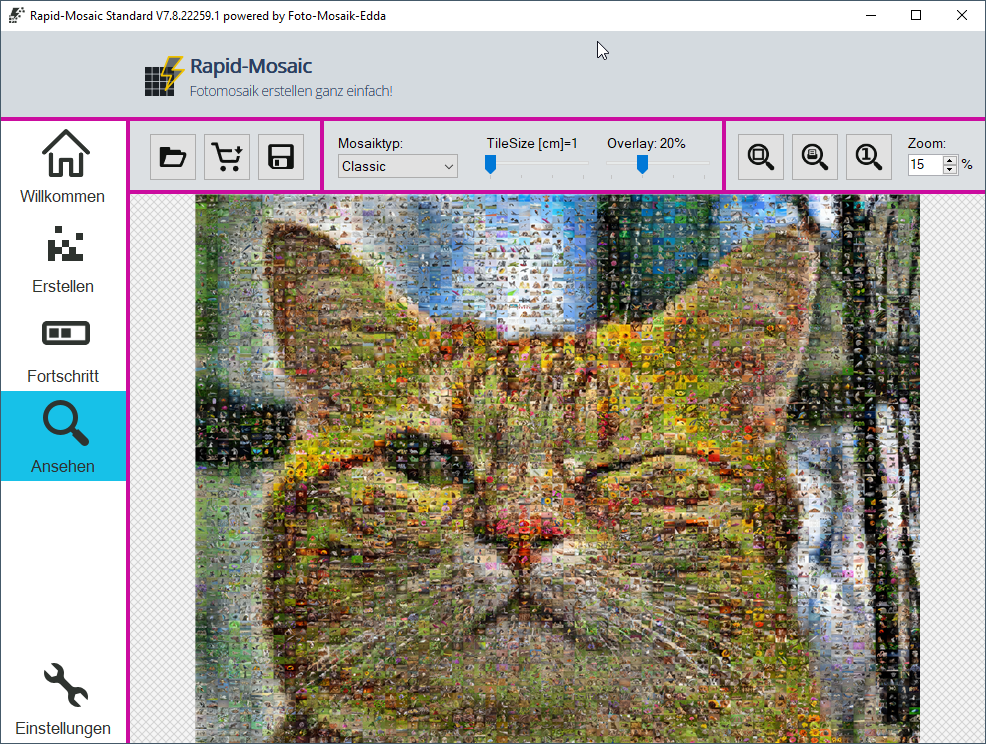
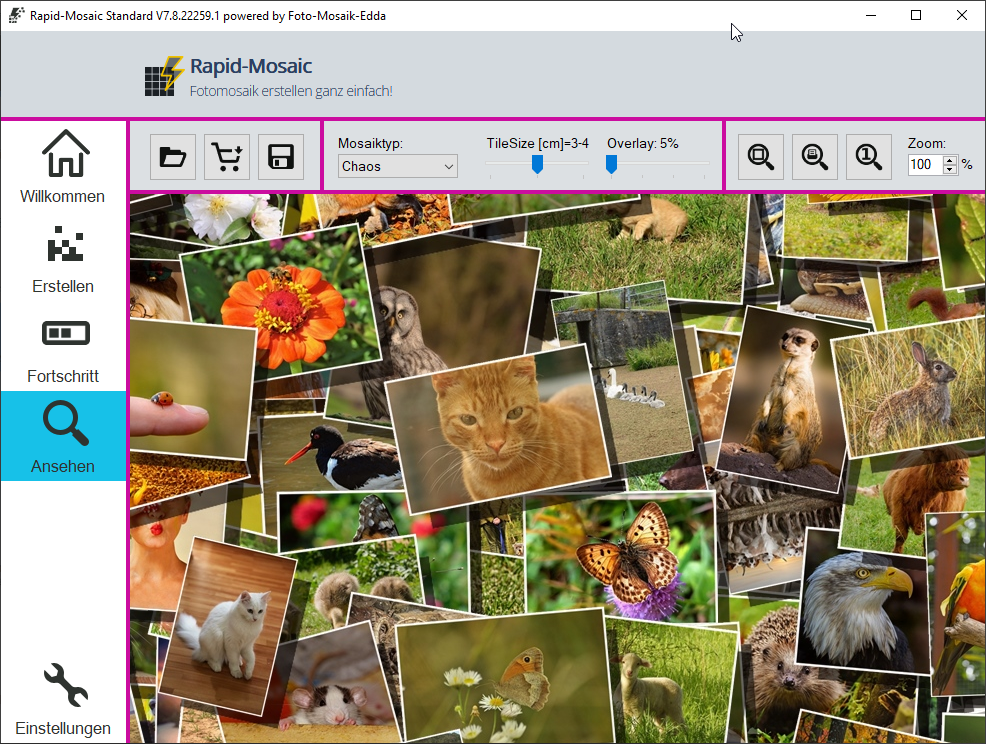
After the calculation is complete, the preview of the mosaic picture is loaded. Here you can zoom into the mosaic picture. A print preview can also be activated. In print preview, the size of the mosaic picture is displayed on the computer monitor exactly as it will later appear on the poster/canvas.
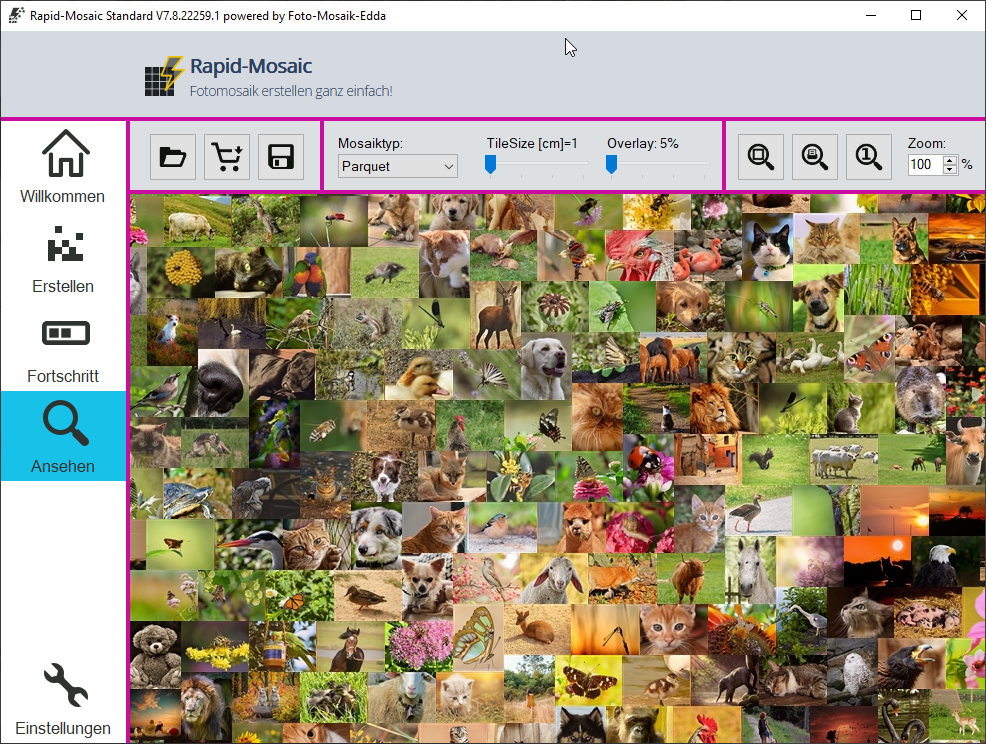
In the preview, you can also choose between different mosaic types such as classic, parquet, chaos, or detail mosaic pictures. The tile size as well as the blend with the original image can be adjusted using a slider. The mosaic picture does not need to be recalculated, because different variations of the mosaic picture have already been generated in advance.
Settings for professionals
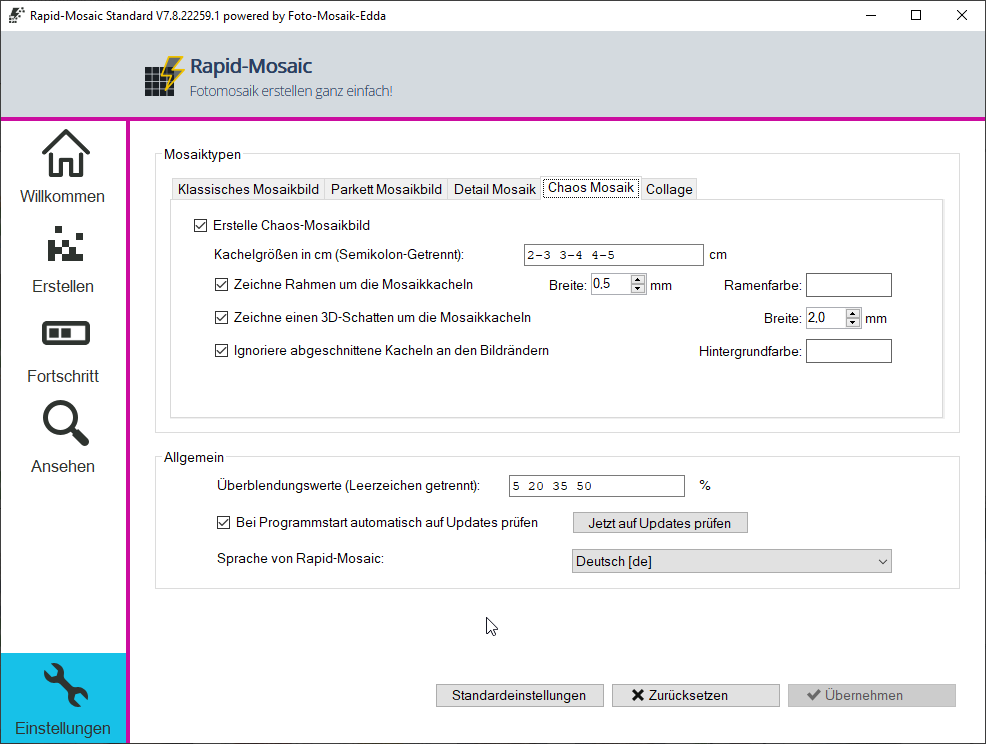
In the settings, professional users can define, among other things, which variations, sizes, and blends Rapid-Mosaic should calculate.
Customer Reviews
Then I thought that instead of making an album to remember this day, it would be nicer to gather all the photos into a single photo
And that's why the mosaic
I looked for someone who could make it and I chose mosaico rapido.it
Everything went smoothly and quickly
The delivery was fast
The canvas prints are beautiful
Highly recommend
Thank you
Perfectly executed.
Super fast and not too expensive.
Would do it the same way again and again..
👍👍👍
Did You Know?
Our passion is photos and personalized print products. Check out our other creative gift ideas: